3D FPS Tutorial (Space Pests)
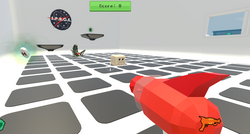
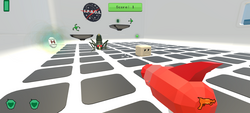
Space Pests is a 3D first-person shooter created in Unity for this class. You play as a space defender tasked with eliminating strange alien pests that have invaded a futuristic space station.
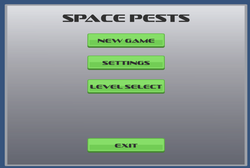
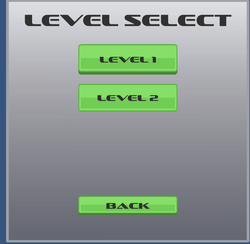
Explore the environment, aim your blaster, defeat enemies, and earn points as you progress through the game. Space Pests currently includes two playable levels, a main menu, a level-select screen, multiple enemy targets, and a score-tracking system.
- WASD — Move
- Mouse — Look and aim
- Left Mouse Button — Shoot
- Spacebar — Jump
- Escape — Pause or return to the menu
Download
Install instructions
Play in Your Browser
The WebGL version does not require a download or installation.
- Click Run Game or Launch Game on the itch.io page.
- Allow the game a few moments to load.
- Click inside the game window to control the mouse.
- Use the listed keyboard and mouse controls to play.
Windows Download
- Click the Download button for the Windows version.
- Download the ZIP file.
- Right-click the downloaded ZIP file and select Extract All.
- Open the extracted folder.
- Double-click the Space Pests.exe file.
- Keep the executable and its accompanying files together in the same folder.
Mac Download
- Click the download button for the Mac version.
- Download and extract the ZIP file.
- Open the extracted folder.
- Double-click the Space Pests application.
- Keep all included game files together.
Leave a comment
Log in with itch.io to leave a comment.